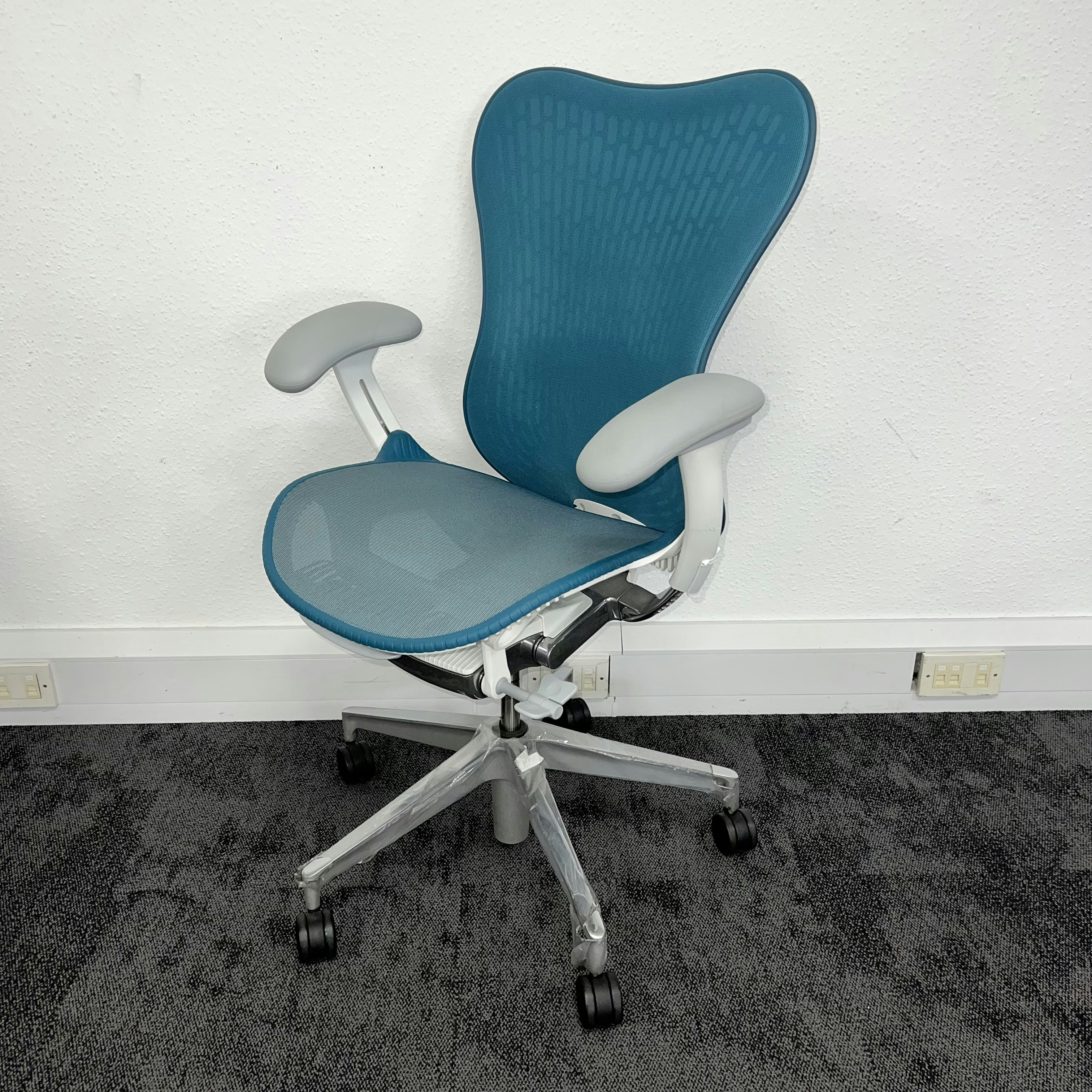
Choosing an office chair based only on height or weight can overlook the proportions that determine whether it feels comfortable. Two people with similar builds may have different leg lengths, hip widths, or torso shapes, so the same chair can support them differently. Measurements offer a more useful starting point: assess your seated height, hip width, thigh length, and the distance from the floor to the back of your knees. These figures can help you compare chair dimensions with your body, but they are not rigid categories or rules for deciding what will fit.
Consider your daily routine alongside those measurements. The needs of someone who sits for brief periods may differ from those of a person at a desk for most of the workday. Notice whether you tend to remain in one position or shift frequently, and think about the tasks you perform. Focused computer work, calls, and collaborative tasks can involve different postures and movements. A chair should allow you to work comfortably while making it practical to change position when needed, rather than forcing you into one fixed posture.
When comparing models, begin with seat height and depth. The height should let your feet rest securely on the floor, while seat depth should support your thighs without pressing against the backs of your knees. Seat width matters too: allow enough room to sit naturally, including when you adjust your position. Check the backrest’s height and shape, and whether its lumbar support meets your lower back comfortably. A feature is useful only when it works with your proportions and preferred posture.
Also assess the armrests and the chair’s adjustment range. Armrests should support your arms without lifting your shoulders or obstructing your approach to the desk. Adjustments are particularly valuable when your body proportions do not match standard dimensions, or when more than one person uses the chair. Treat measurements as a guide for narrowing options, then try a chair if possible. A comfortable fit depends on how its features work together for your body and daily needs, not on a single number or a broad body-size label.
A chair’s seat dimensions should support your body without forcing you into a fixed or strained position. Begin with seat height: when seated, your feet should rest flat on the floor, and your knees should be roughly level with or slightly lower than your hips. This position helps distribute your weight and keeps your legs supported. Adjust the chair while sitting in your usual work shoes, since footwear can affect the fit. If the chair remains too high to let your feet reach the floor, use a stable footrest rather than allowing your legs to dangle. The footrest should support both feet and allow you to change position comfortably.
Seat depth determines how much of your thighs the chair supports. Sit back against the backrest and check the space between the front edge of the seat and the backs of your knees. Ideally, most of your thighs are supported while a small gap remains; pressure behind the knees can interfere with comfort and circulation. If the seat is too deep, you may have to slide forward and lose contact with the backrest. If it is too shallow, your thighs may receive inadequate support. A seat-depth adjustment can make a chair easier to fit to shorter or longer legs, especially when several people share it.
Seat width should provide enough room to sit naturally, without the sides pressing into your hips or thighs. Check the chair while wearing the clothing you typically wear at work, and allow space to shift position without feeling confined. Also confirm that the chair’s stated weight capacity is appropriate for the person using it, following the manufacturer’s specifications. A wider seat may seem appealing, but extra width does not automatically improve comfort. If the seat is too broad, you may sit away from the backrest or be unable to use the armrests comfortably. Aim for a secure fit that lets you sit back, keep your legs in a relaxed position, and use the chair’s support features without reaching or straining.
A well-fitted office chair backrest should follow the natural inward curve of your lower back rather than leaving a gap or pressing sharply against one spot. Sit with your hips positioned fully back in the seat so your torso can rest against the backrest. If the chair’s lumbar area supports you only when you perch forward, you cannot benefit from that support consistently, and the seat or backrest may not suit your proportions.
People have different torso lengths, so adjustable lumbar support can make a meaningful difference. A support that moves up or down lets you position its curve at the level of your lower back, rather than relying on a fixed cushion that may sit too high or low. Check that the adjustment remains comfortable when you recline or change posture. The aim is steady contact that encourages a balanced sitting position, not forceful pressure that makes you shift away from the backrest.
Backrest height and shape also affect fit. A shorter user may find a tall, wide backrest restrictive if it pushes against the shoulders or prevents comfortable movement. Taller users may need a higher backrest to support more of the torso. Those who want support around the shoulder blades, neck, or head can look for a taller design with an appropriate upper contour or headrest. Head support is most useful when its position matches the user’s height and preferred reclining posture.
Armrests should let your arms rest easily while your shoulders stay relaxed and your elbows remain close to your body. Adjust the height so your forearms are supported without shrugging your shoulders or lifting your elbows. Width matters as well: armrests set too far apart can encourage reaching outward, while narrow ones may feel confining. Ensure they do not force you away from the desk or stop you sitting close to the backrest. Adjustable or removable armrests can help when desk height, shoulder width, or a particular work posture makes standard armrests unsuitable.
When trying an office chair in a showroom or during a home trial, begin by sitting all the way back, with your feet flat on the floor or a footrest. Your knees should bend comfortably, with a small gap between the seat edge and the backs of your knees. Check that the seat supports most of your thighs without pressing into them. Your hips should feel level, and you should be able to shift position easily rather than perch on the edge. If the chair is too high, too deep, or too firm, adjust it before deciding that its basic shape is unsuitable.
Next, check whether the lumbar support meets your lower back when you sit naturally; it should feel supportive, not force your spine into an uncomfortable curve. Place your arms on the armrests and confirm your shoulders can relax, elbows stay near your sides, and the height or width can be changed without strain. Operate the controls while seated, including seat height, tilt tension, recline lock, and any seat-depth adjustment. Test more than one position: work upright, lean back to read or speak, then recline and return. A chair may feel pleasant during a brief upright sit yet become uncomfortable over a longer session or while moving between tasks.
Before choosing, confirm the chair’s adjustment range suits your body and desk, and check that it feels stable as you lean and turn. Review the materials, stated weight capacity, warranty, and return policy, including any fees or trial-period conditions. During a return window, use the chair for normal work and note when discomfort appears; small setup changes may resolve a problem, while repeated pressure or lack of support may indicate a poor fit. Persistent or worsening pain should be discussed with a qualified health professional. A well-fitted chair can make work more comfortable, but it cannot replace regular movement breaks and changes in posture.