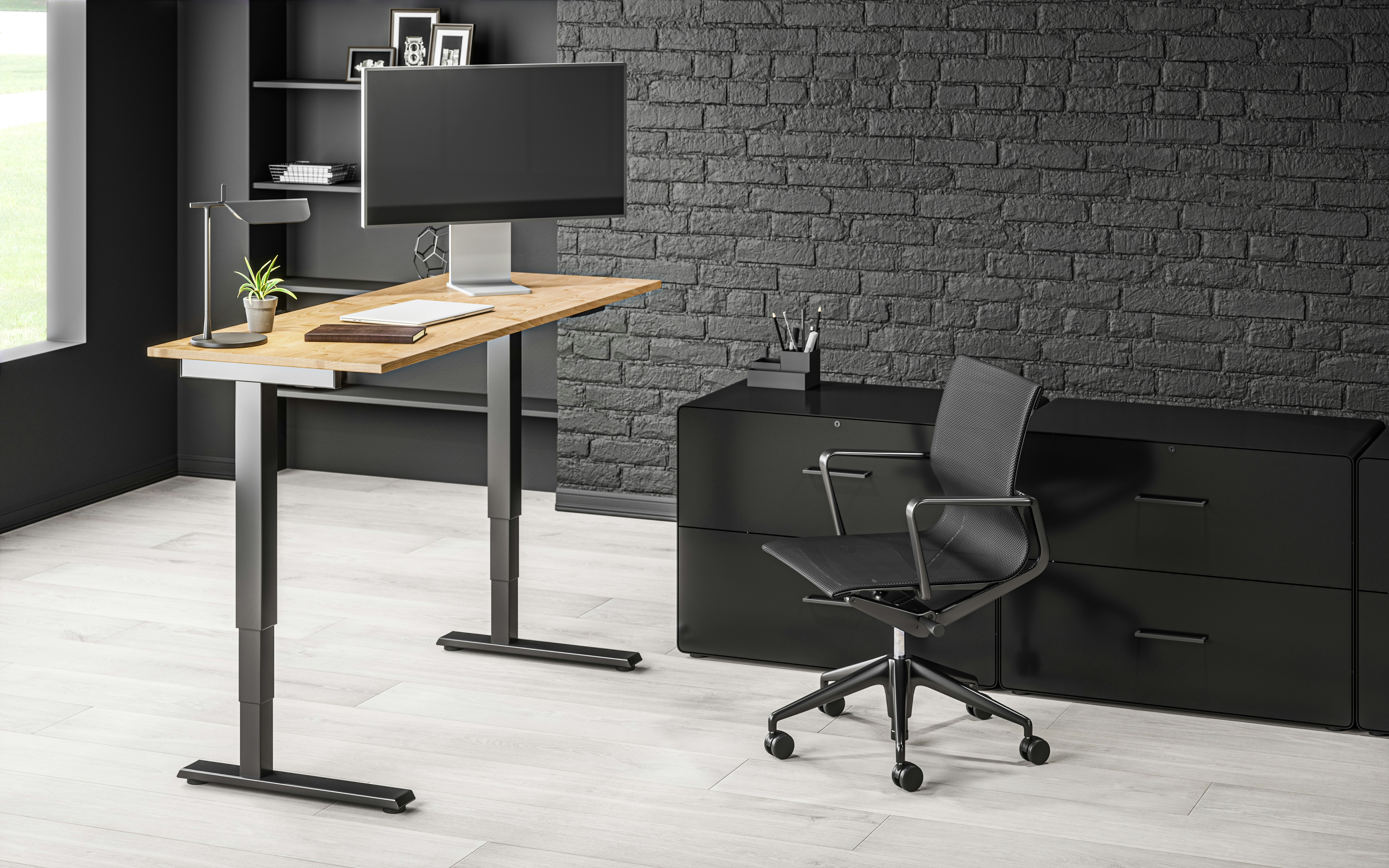
Electric and manual standing desks serve the same basic purpose: they let users raise or lower the work surface to alternate between sitting and standing. The main difference is how each desk moves. An electric model uses one or more motors, controlled through a panel or keypad, to adjust its height. Many include buttons that store preferred settings, allowing users to return to familiar sitting and standing positions with a single press.
A manual desk relies on a non-powered mechanism, such as a hand crank, lever, or spring-assisted adjustment system. With a crank, users turn a handle until the desktop reaches the desired height. Other designs may require releasing a latch and repositioning the surface, sometimes with help from counterbalance components. The exact process depends on the desk’s construction, weight capacity, and adjustment range.
In everyday use, electric desks are generally quicker and require less physical effort to adjust. The motor moves the surface while the user operates the controls, although movement speed varies between models. Most produce some noise during operation; the volume and character can depend on the motor, frame, and load. Manual desks avoid motor noise and do not require a power outlet, but adjustment can take longer and involve more effort, especially when the desktop carries monitors or other equipment.
These practical differences can influence how often people change positions. A convenient, button-operated adjustment may make frequent transitions easier to incorporate into a routine. A manual mechanism may suit users who adjust less often or do not mind taking extra time to reposition the desk. Neither design guarantees a particular work habit, and preferences vary.
Both types can support a sit-stand routine when adjusted to appropriate heights for the user. The work surface should allow a comfortable posture in each position, and equipment should remain stable as the desk moves. Features and performance are not identical across all products: adjustment range, lifting capacity, stability, speed, noise, and ease of operation differ by model. Comparing those details, alongside budget and workspace needs, provides a more useful basis for choosing than relying on the electric or manual label alone.
Electric standing desks typically cost more upfront than manual models because they include motors, control panels, and the components needed to raise and lower the work surface. Manual desks often provide a lower-cost, simpler alternative, using a crank or handle instead of powered mechanisms. However, purchase price alone does not determine quality or long-term value. Frame stability, lifting capacity, materials, warranty coverage, and suitability for the intended workspace also matter. Comparing these features alongside the initial cost can help identify an option that fits both a budget and daily requirements.
Setup needs differ, even before the desk is adjusted for the first time. Both types can have heavy frames, so checking package weight, available lifting assistance, and the route through the workspace can make assembly safer and more manageable. Powered models also need access to an electrical outlet, and their cables should be arranged so they do not snag or create trip hazards as the desk moves. Manual desks do not require power, but the installation must leave enough clearance to turn the crank or operate the handle. Nearby walls, cabinets, or chair placement can restrict that movement if space is tight.
Everyday convenience depends largely on how often the desk height changes and who uses it. In a shared workplace, several people may adjust one desk throughout the day; quick controls and saved height presets can make those transitions easier and encourage regular changes between sitting and standing. For one person who adjusts the desk only occasionally, a hand-operated mechanism may be entirely practical, particularly when minimizing cost or avoiding electrical connections is a priority. Manual adjustment generally takes more time and effort, while electric adjustment offers speed at a higher purchase cost. Consider the users, available room, access to power, and expected adjustment routine together. A desk that suits these practical conditions is more likely to remain convenient after installation.
Compare each desk’s minimum and maximum height with the positions you will actually use, including seated and standing settings. Check the lifting capacity against the combined weight of the tabletop, monitors, computer equipment, and accessories; a desk operating near its limit may move less smoothly. Stability matters at full height, so look for reviews that describe wobble during typing and test results with the desk extended. Also compare adjustment speed and operating noise, particularly if you expect to change positions frequently or share a quiet room.
Confirm that the tabletop dimensions suit your workspace and equipment. A wide or deep surface can be useful, but heavier tops and unevenly distributed loads may affect movement and stability. Check how the frame behaves when weight is concentrated at one side, such as by a monitor arm, rather than relying only on the stated capacity. Product-specific ratings and warranty terms offer more useful evidence than assuming that electric or manual designs are inherently more durable.
For an electric model, consider motor quality, the smoothness of movement, and the controls’ ease of use. Memory presets can make it simpler to return to preferred heights, while cable management helps keep wires organized as the desk rises and lowers. Review the warranty for coverage of the frame, electronics, and motors, and note what happens if power is interrupted or a motor fails. Some desks cannot be adjusted until power is restored; others may need repair or replacement parts.
For a manual desk, try to assess crank effort across its full height range, not just during a brief demonstration. A smooth mechanism and conveniently placed handle can make regular adjustments more practical. Consider whether the crank folds away or could interfere with nearby furniture, and check the manufacturer’s maintenance guidance, including lubrication or tightening requirements. With either type, compare independent feedback over time, confirm service options, and choose specifications that match your expected load and daily use.
Choose a standing desk by considering how you work each day, who will use it, and what your workspace can support. The best option is not necessarily the one with the most features; it is the desk that makes comfortable position changes practical and sustainable.
An electric desk is often a good fit if you change heights several times a day, share the workstation, or want saved presets for different users. Push-button adjustment takes little effort, which can make it easier to alternate between sitting and standing consistently. These desks also suit people who need precise, repeatable settings. However, they cost more upfront and require access to power; motors and controls may also need servicing over time.
A manual desk may suit you if you adjust the height only occasionally, prefer a simpler mechanism, or want to limit initial spending. It does not depend on a motor or electrical outlet, which can be useful in some rooms. Consider the adjustment method and effort before buying: a crank or counterbalance system should be comfortable to operate, particularly if you expect to reposition the desk regularly. Compare the warranty and construction, not just the purchase price.
Fit matters with either type. Check that the desk can reach a comfortable seated height and a standing height that lets your shoulders relax, elbows sit near your sides, and forearms rest roughly level with the keyboard. Position the monitor so you can view it without leaning forward or tipping your head. A monitor arm or keyboard tray may help accommodate your proportions. Alternate between sitting and standing rather than remaining on your feet continuously, and adjust gradually to what feels comfortable.
Before deciding, use this checklist: Fit: does the height range suit your body and chair? Stability: does the desk feel steady at full height? Adjustment effort: will you change positions as often as intended? Power access: is an outlet available if needed? Warranty: are the frame and mechanisms adequately covered? Total value: do price, accessories, durability, and likely use justify the cost? A clear answer to each question can narrow the choice.