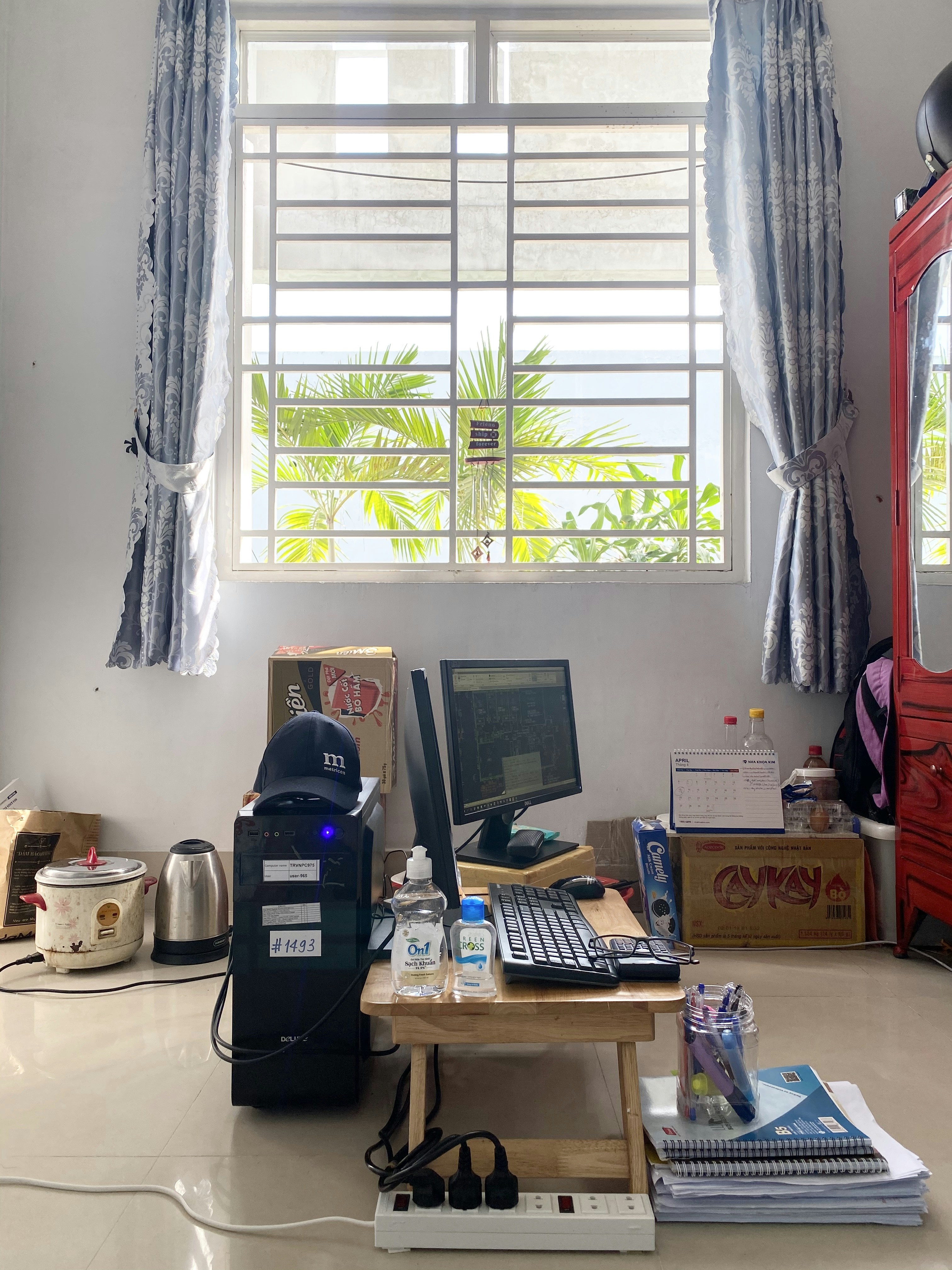
A short end-of-day reset can make a home office feel ready for the next work session without turning cleaning into another major task. Set aside five to ten minutes, adjusting the time to suit how often the room is used and how much activity it sees. Begin by removing cups, plates, snack wrappers, and other food-related items. Wash or place dishes in the kitchen, and dispose of rubbish so crumbs and lingering spills do not attract pests or create odors overnight.
Next, return frequently used supplies—such as pens, notebooks, chargers, and folders—to their usual places. Sort loose papers into three simple groups: items that need action, documents to file, and material to recycle. Put urgent papers where they will be visible when work resumes, file records in the appropriate location, and recycle anything that is no longer needed. A clear sorting system prevents piles from spreading while making it easier to find important information later.
Wipe up any obvious spills promptly, then give the desk a quick once-over with a suitable cloth. Pay particular attention to shared or high-use items, including the keyboard, mouse, phone, and desk surface. These contact points can collect dust, crumbs, and germs through regular use; routine cleaning helps limit buildup. Follow manufacturer guidance, avoid spraying liquid directly onto electronics, and use products appropriate for each surface. Finally, straighten the chair, align essential items, and leave enough clear space to begin comfortably the next day.
Keep the routine realistic rather than aiming for a perfect, spotless office every evening. In a lightly used workspace, a brief visual check and removal of dishes may be enough. A busy household, frequent video calls, or shared equipment may call for more regular wiping and a fuller paper reset. Consistency matters more than duration: a small, repeatable routine helps maintain order, supports cleaner work surfaces, and makes the transition into the next workday easier.
Begin a weekly home office clean by removing items that do not belong on the desk or shelves. Sort papers, return supplies to their storage places, and clear enough space to clean surfaces properly. Work from top to bottom: dust ceiling corners, light fixtures, shelves, and other high surfaces first so that falling dust can be collected later. Use a clean microfiber cloth or a suitable duster, and take care around fragile items and cables.
Next, clean desks, shelves, and frequently handled objects. Power down monitors and other electronic equipment before cleaning them, and consult the manufacturer’s instructions for approved methods. Use a dry or slightly damp microfiber cloth suited to the device; never spray liquid directly onto a screen, keyboard, or other equipment. Keep moisture away from openings and connections, and allow surfaces to dry completely before powering devices on again. Choose products appropriate for each material to avoid damage.
Disinfect frequently touched surfaces such as desk edges, drawer pulls, light switches, door handles, and shared equipment. Follow the product label for contact time, surface compatibility, and any required precautions. Avoid mixing cleaning products, and open a window or use ventilation where possible, particularly in a compact room. Store cleaners safely after use and wash your hands when finished.
Empty the wastebasket and recycling container, replacing liners as needed, then vacuum carpets and rugs or mop hard floors. Move lightweight furniture carefully to collect dust and debris underneath. Spot-clean marks on walls, furniture, or flooring with a method suitable for that surface, testing an inconspicuous area first if needed. Finish by checking windows, window sills, and lighting for smudges, fingerprints, and accumulated dust. Clean glass with an appropriate product and cloth, and make sure fixtures are switched off and cool before wiping them. A consistent weekly routine helps keep the workspace orderly, hygienic, and comfortable without allowing dust or clutter to build up.
Monthly maintenance reaches the areas that routine tidying often misses. Move lightweight furniture when practical and clean beneath and behind the desk, filing cabinets, and storage units, where dust and small items can collect. Vacuum upholstered chairs and other fabric surfaces using an appropriate attachment. Dust accessible air vents and remove buildup without pushing debris into the system. Clean lamps, blinds, and window coverings according to their materials; these surfaces can hold dust that affects both appearance and indoor comfort.
Use this check-in to inspect equipment as well as surfaces. Look over power cords, chargers, and plugs for fraying, cracks, loose connections, or unusual heat, and stop using damaged items until they are safely replaced. Check that chair wheels roll freely and are not tangled with hair or fibers. Tighten desk hardware if needed, and make sure frequently used tools—such as keyboards, mice, headsets, and staplers—remain clean and in good working condition. Reviewing these details can prevent minor problems from becoming interruptions or safety concerns.
Paper and supply storage also benefits from a regular review. Recycle obsolete documents when permitted, remove empty packaging, and return useful materials to clearly defined places. Discard dried-out pens and other unusable supplies, while keeping everyday essentials easy to reach. Seasonally, give floors a deeper clean suited to their finish, and replace heating or cooling filters where applicable and according to manufacturer guidance. Check humidity and ventilation, addressing dampness or stale air before it affects comfort or materials. As daylight and temperatures change, adjust blinds, task lighting, and the placement of the workspace to reduce glare, maintain a comfortable working temperature, and make effective use of natural light.
Turn the checklist into a dependable routine by assigning each task a clear place on the calendar. Put quick daily resets at a regular time, such as the end of the workday, and choose a weekly day for dusting, vacuuming, and wiping surfaces. Set monthly reminders for vents, deeper equipment checks, and less frequent seasonal tasks for windows or storage. Digital alerts, a wall calendar, or a printed checklist can help the routine remain visible.
Keep a small, organized supply kit near the office so routine jobs are easy to begin. Include suitable cloths, a soft brush, a duster, and surface-appropriate cleaner. Read labels and follow manufacturer guidance for screens, wood, and specialty finishes. Store chemicals in their containers, out of reach of children and pets. Never mix cleaning products; combinations can release dangerous fumes. Reusable cloths reduce disposable waste, and refilling products can cut packaging. Choose compatible refills.
Protect both your body and equipment while cleaning. Before moving a desk or other heavy furniture, clear the route, bend at the knees, keep the load close, and ask for help or use a suitable mover when needed. Keep liquids away from computers, outlets, and power strips; apply cleaner to a cloth, not directly to electronics. Unplug devices before cleaning around connections or handling removable parts, following the manufacturer’s instructions.
Adjust the plan to fit the room, flooring, pets, household traffic, and time available. A compact office may need only brief weekly care, while carpet, frequent visitors, or shedding animals can call for more frequent vacuuming and spot cleaning. Set priorities on busy weeks: clear clutter, sanitize touchpoints, and address spills promptly, then move deeper tasks to another scheduled day. Review the checklist occasionally and revise reminders when seasons, equipment, or routines change.